Run your entire business on one smart ERP
Sales, inventory, accounting, manufacturing and HR in one system. xNETRA plans, configures, migrates and supports your Odoo from day one to go-live and beyond.
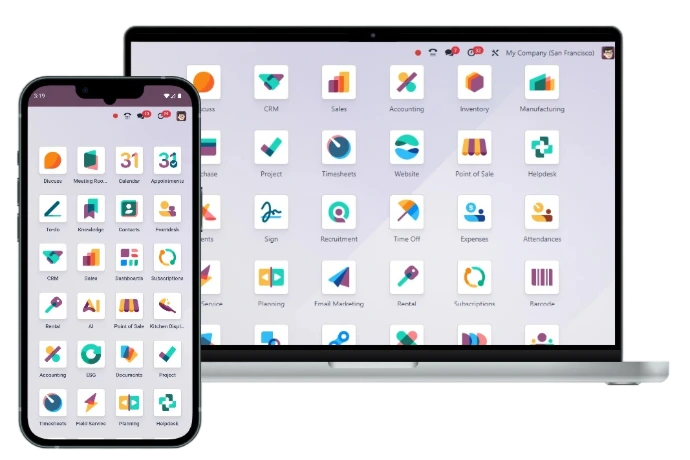

What is Odoo?
One platform. Every department.
Odoo is a modern, modular ERP used by millions of businesses worldwide. Instead of juggling Tally, Excel sheets and separate tools, every team works on one connected database. Data entered once flows everywhere, in real time.
Key Features
Everything you need, all connected
Start with the apps you need today and add more as you grow.
Sales & CRM
Track leads, send quotes and close deals faster.
Inventory
Real-time stock, barcode scanning and multi-warehouse.
Accounting
GST-ready invoicing, bank sync and live reports.
Manufacturing
BoMs, work orders, quality and maintenance.
Purchase
Automated RFQs, vendor bills and reordering.
HR & Payroll
Attendance, leaves, expenses and payslips.
Website & eCommerce
Sell online with orders synced to stock.
Reports & Dashboards
Live KPIs for smarter, faster decisions.
Why Odoo?
How Odoo stands out
Enterprise power without enterprise complexity.
| Criteria | Odoo ERP | Traditional ERP | Tally / Excel |
|---|---|---|---|
| Cost of ownership | Affordable, pay per user | High licence cost | Low |
| All departments in one system | Yes, fully integrated | Yes | No, scattered files |
| Ease of use | Modern, simple UI | Complex | Manual work |
| Customisation | Flexible, open source | Costly & slow | Very limited |
| Cloud & mobile access | Anywhere, any device | Partial | Limited |
| Time to go-live | Weeks | Many months | Quick, but doesn't scale |
| Scales as you grow | Add apps anytime | Yes, at high cost | No |
Business Benefits
What changes for your business
Less manual work
Automate quotes, invoices, reorders and reminders.
Real-time visibility
Know your stock, cash and sales at a glance.
No more data silos
Every team works from the same live data.
Grow without limits
Add users, branches and apps whenever you need.

Our Process
From consultation to go-live
Consult
We study your workflows and map them to Odoo.
Configure
Apps set up and customised to fit your business.
Migrate
Masters and balances moved from Tally or Excel.
Train
Hands-on training so every user feels confident.
Go-live & Support
Smooth launch with dedicated support after go-live.
Ready to run your business on Odoo?
Book a free consultation and see Odoo working with your own processes.